

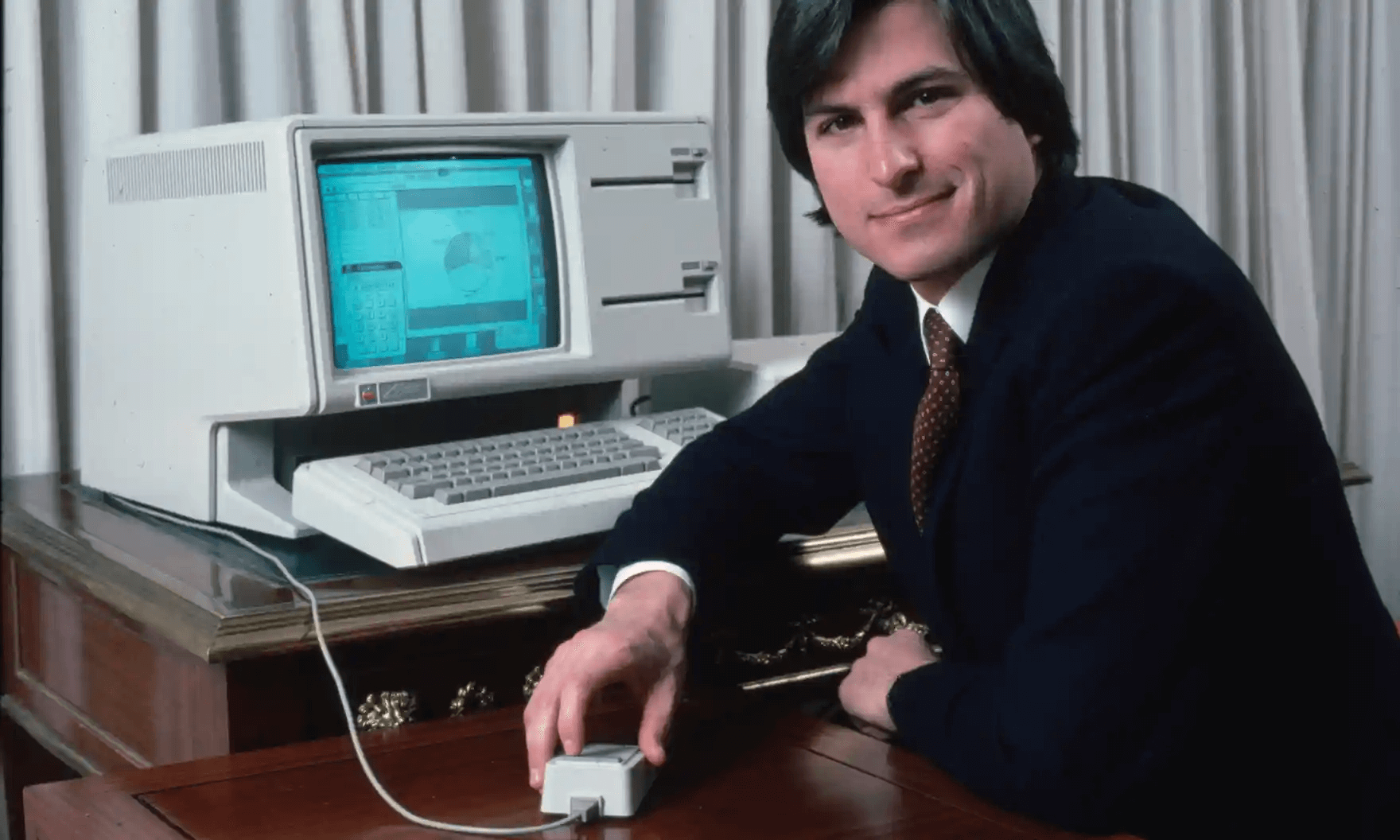
The Apple Lisa computer, an ambitious marvel of its time, revolutionized the computing landscape with a fusion of cutting-edge features. Boasting an integrated screen, a user-friendly interface, and Apple’s first-ever mouse, the Lisa marked a pivotal milestone in the history of personal computing.

The Apple I, hailed as the pioneering creation of the tech industry, marked the genesis of the legendary Apple Inc. Designed and handcrafted in 1976 by the brilliant mind of Apple’s co-founder, Steve Wozniak, this revolutionary computer sparked a chain of events that would forever change the face of modern computing. Conceived through the visionary collaboration with his friend and co-founder, Steve Jobs, the Apple I paved the way for the global tech empire we know today. With its humble yet powerful beginnings, this iconic device laid the foundation for a world captivated by innovation and imagination, forever etching its name in the annals of computer history.

- Approx 810 million+ websites use WordPress, which is 43% of all the websites on the internet.
- There are around 60,000 free WordPress plugins in the WP plugin directory.
- I attended my 1st WordCamp @WordCampAsia #WCAsia along with @idavinder @isimrandeep @thewpweekly
- We celebrated the 20th anniversary of #WordPress, #WP20 – (https://twitter.com/satinderspace/)
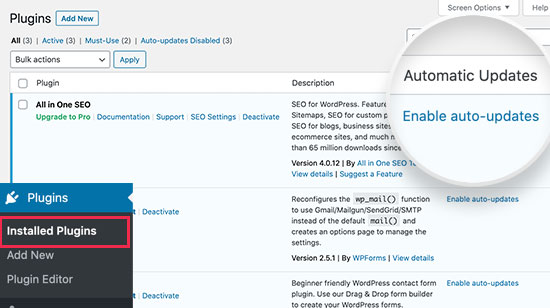
WordPress 5.5 was released, bringing improved site speed and new features like automatic updates for plugins and themes.
The COVID-19 pandemic prompted the shift of WordCamps and meetups to online events.
Images that load slowly were introduced.