Default Pagination
@photomatt and Mike Little launched @WordPress as a fork of b2/cafelog.
The suggestion for “WordPress” came from Christine Selleck Tremoulet, a close friend of Matt Mullenweg.
A new templates feature was introduced along with several site-wide blocks allowing you to quickly developed site-wide templates in WordPress
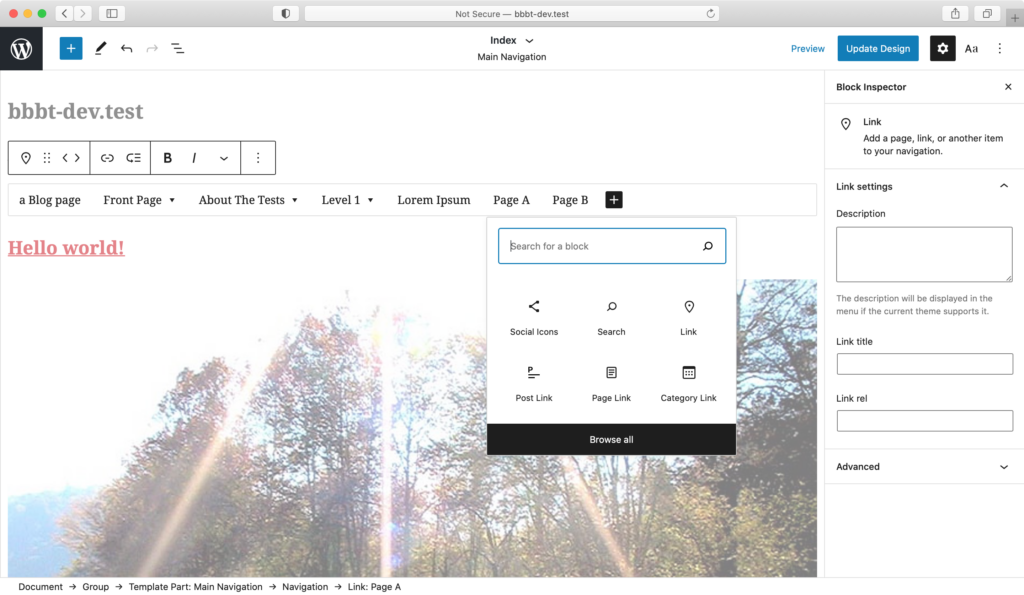
With WordPress 5.7, dragging and dropping a block is easy.
Harvard College is renamed Harvard University and continues to grow and expand. The university establishes schools of law, divinity, and business, as well as a graduate school for advanced study
[cool-timeline layout="default" designs="design-1" skin="default" category="amazon-history" show-posts="4" order="DESC" icons="dot" animations="fade-up" date-format="F d" story-content="full" based="default" compact-ele-pos="main-date" pagination="default" filters="no" timeline-title=" COMPANY HISTORY"]
Vertical Timeline Ajax Load More
First thing you need to do is go to your WordPress admin area and click on Plugins » Add New. Then search any plugin and click on install button. But from here you can only install free plugins that are available in WordPress plugin directory. Click on image left from more info.
Paid plugins are not listed in WordPress directory so you can upload them via WordPress upload plugin option. First, you need to download the plugin from the source (which will be a zip file). Next, you need to go to WordPress admin area and visit Plugins » Add New page. Then upload plugin & activate it.
For this first you need to extract plugin zip file. Now Open the FTP client on your computer and connect. Once connected, you need to access the path /wp-content/plugins/ Next, upload the folder you extracted from the zip file to the /wp-content/plugins/ folder on your web server. Then you can activate your plugin from installed plugins list in WordPress dashboard.
[cool-timeline layout="default" designs="design-2" skin="default" category="google-history" show-posts="3" order="ASC" icons="icon" animations="fade-up" date-format="F d" story-content="full" based="default" compact-ele-pos="main-date" pagination="ajax_load_more" filters="no" timeline-title=" "]
Horizontal Timeline Ajax Load More
Quick Shortcode Generator
Easily add timeline on any page using simple short-code generator tool.
Crypto Testnet Launch
Released the project’s public testnet to test transactions, blocks, and validator performance.
Crypto Project Concept
Defined the core vision for a new blockchain-powered crypto ecosystem.
Countdown for The Events Calendar
- 100+ Active Plugin Installs
- Beautiful Countdown for The Events Calendar (by Modern Tribe) Events.
- Easily Add Anywhere Via Shortcode.
- This Plugin is Only Compatible With “The Events Calendar” Plugin.
Cool Timeline Pro
- Best Rated WordPress Timeline Plugin.
- Showcase Your Company Story Timeline.
- Create Horizontal or Vertical Timelines.
- 25+ Timeline Styles.
- Show Blog Posts as Timeline Layout.
[cool-timeline layout="horizontal" designs="design-1" skin="default" category="amazon-history" pagination="ajax_load_more" show-posts="5" order="ASC" icons="icon" animations="flip-left" date-format="d M, Y" story-content="full" year-label="show"year-navigation="show" navigation-position="center" year-label="show" items="1"]